SORMAS Optimisation
The Surveillance Outbreak Response Management and Analysis System (SORMAS) is the backbone of Nigeria’s electronic disease reporting. SECURE-Nigeria modernised it, made it easier to use, and trained the team and set up the rules needed to keep it that way.
SORMAS is an open-source system for reporting cases of disease, tracing contacts, linking laboratory results and managing outbreaks. It was adopted after the 2014 to 2015 West African Ebola outbreak, piloted in Kano and Oyo states in 2015, and by 2020 was in use in all 774 local government areas of Nigeria’s 36 states and the Federal Capital Territory. It supports reporting of 44 notifiable diseases.
As SORMAS grew, problems emerged with its performance, the quality of its data and the way changes to it were managed. From March 2025, the Institute of Human Virology Nigeria (IHVN) worked with the Nigeria Centre for Disease Control and Prevention (NCDC) on a structured optimisation in three parts: upgrading and redesigning the software, training NCDC’s Public Health Informatics officers, and putting formal rules in place for managing the system.
The challenge
What we did
Assessed the system
Reviewed every module, workflow, error log and connection, and compared Nigeria’s version with the global SORMAS standard.
Upgraded the platform
Upgraded to version 1.101.0, moved all existing data across without loss, and merged the Federal Capital Territory’s separate system into the national one.
Designed forms for each disease
Built 16 electronic case investigation forms that match NCDC’s approved paper forms field for field. Fields appear only when they are relevant.
Linked laboratory results to cases
Laboratory records now link automatically to the right case by its EPID number, capture every laboratory detail on the paper forms, and are checked for correct dates and the correct state.
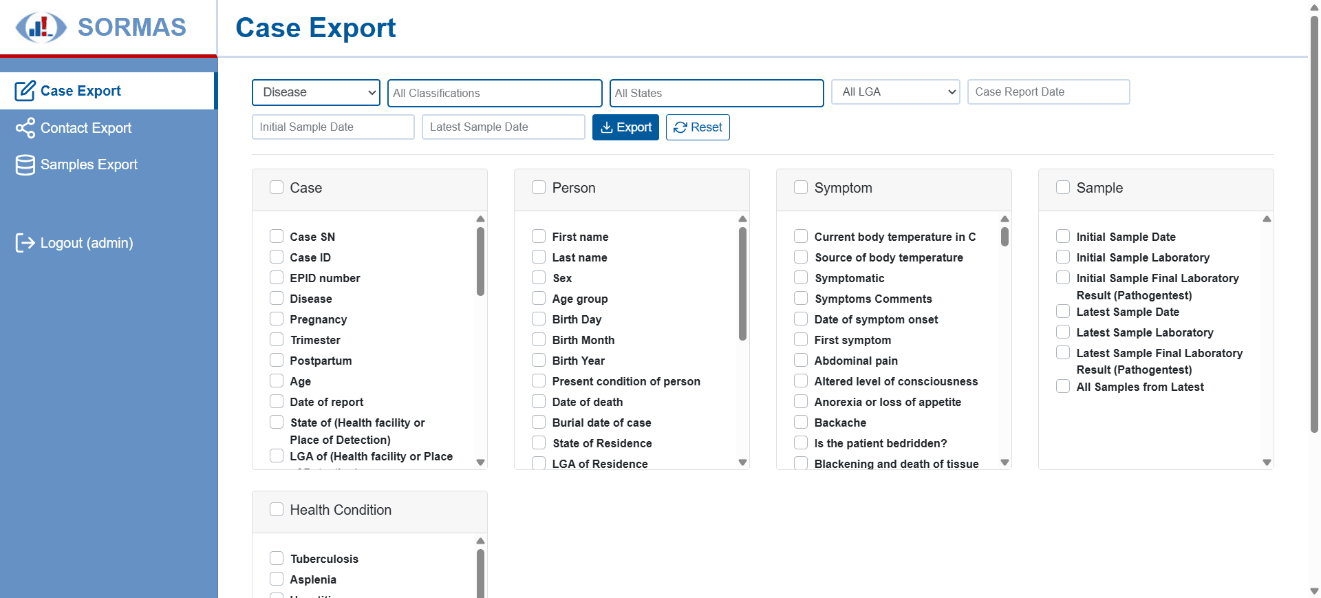
Built a faster download manager
Users can download data for one disease, period and area at a time, with quality checks built in.
Automated routine checks
Data is checked for completeness and errors as it is entered. Outbreak thresholds for each disease trigger alerts automatically, and cases are classified automatically using national rules.
Reconnected other systems
Restored connections to other systems, added a new record-level feed of anonymised case data to DAVT in place of the old summary-only connection, and prepared SORMAS to exchange data with laboratory information systems.
Tested with real users
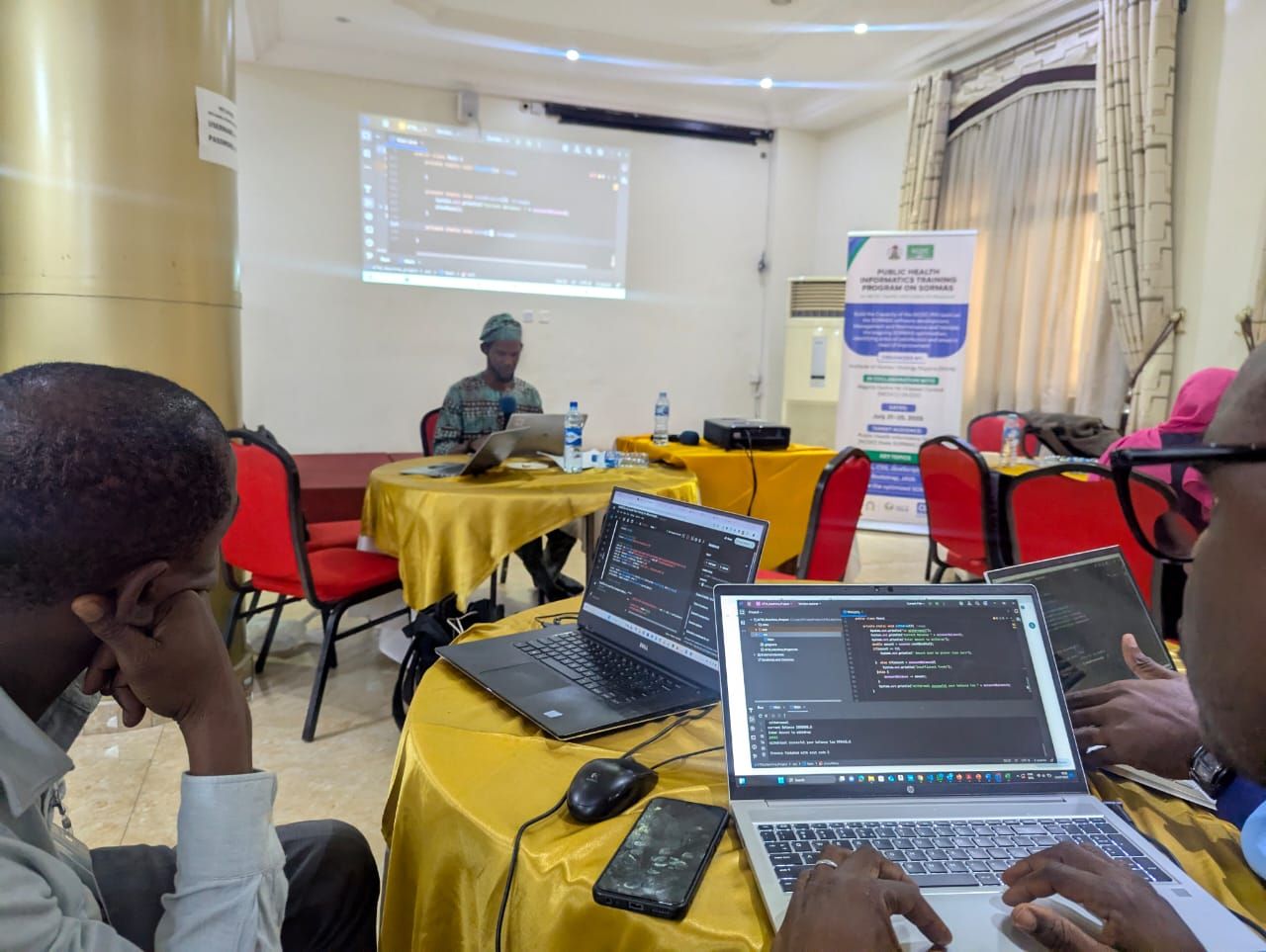
Staff from national, state, local government, health facility and laboratory levels tested the system, including at a validation workshop in July 2025 and in structured acceptance testing in January and February 2026.
Before and after
Software version
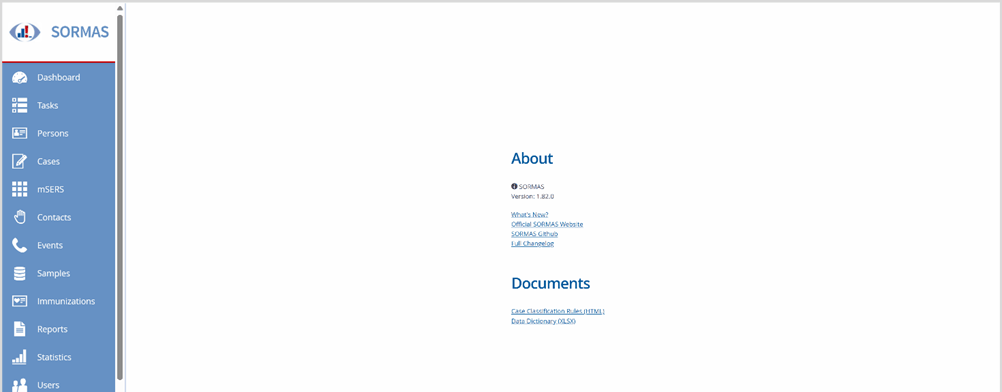
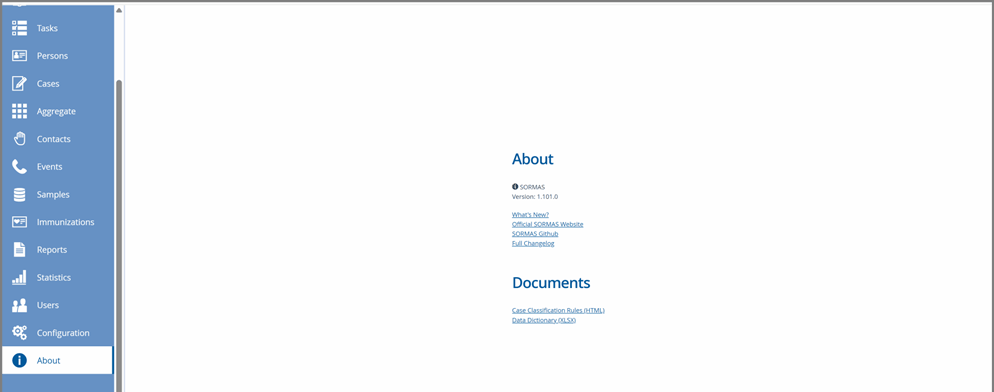
Nigeria’s SORMAS moved from version 1.82.0 to 1.101.0, closing a gap of 19 versions with the global release.
Case investigation form
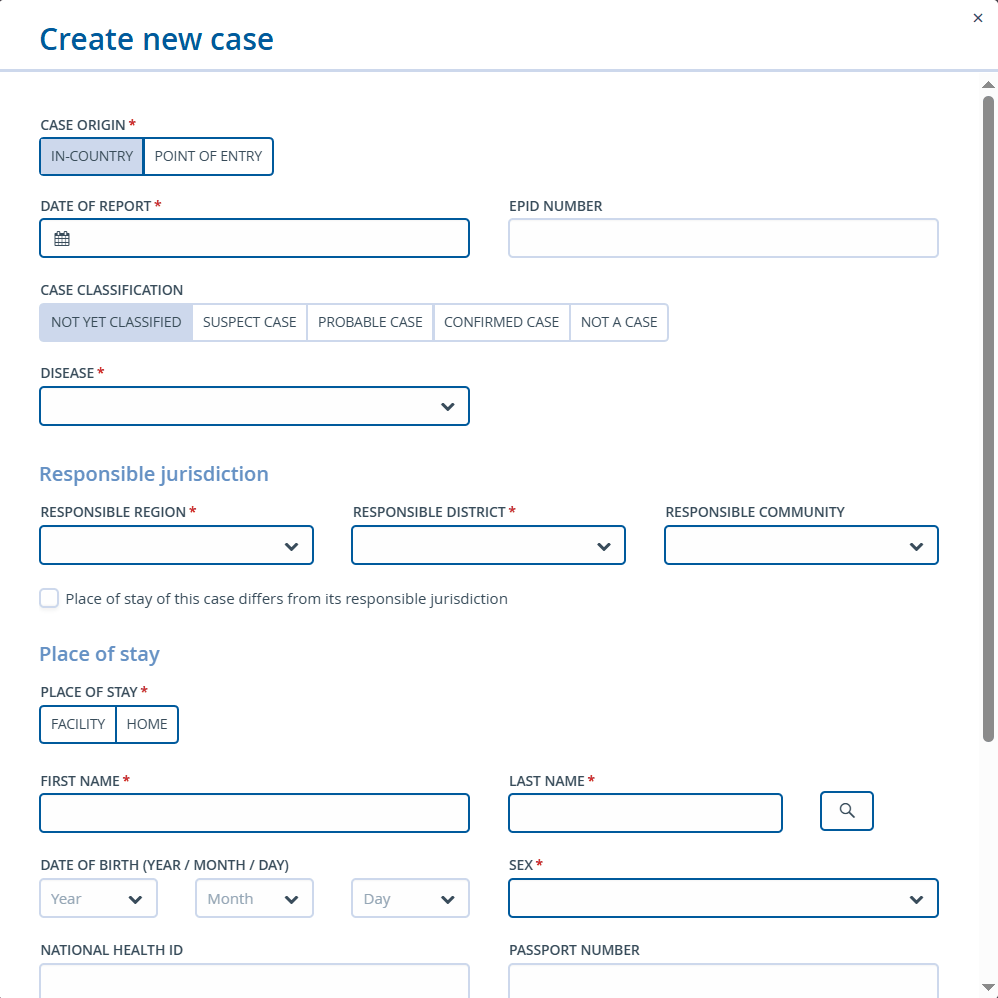
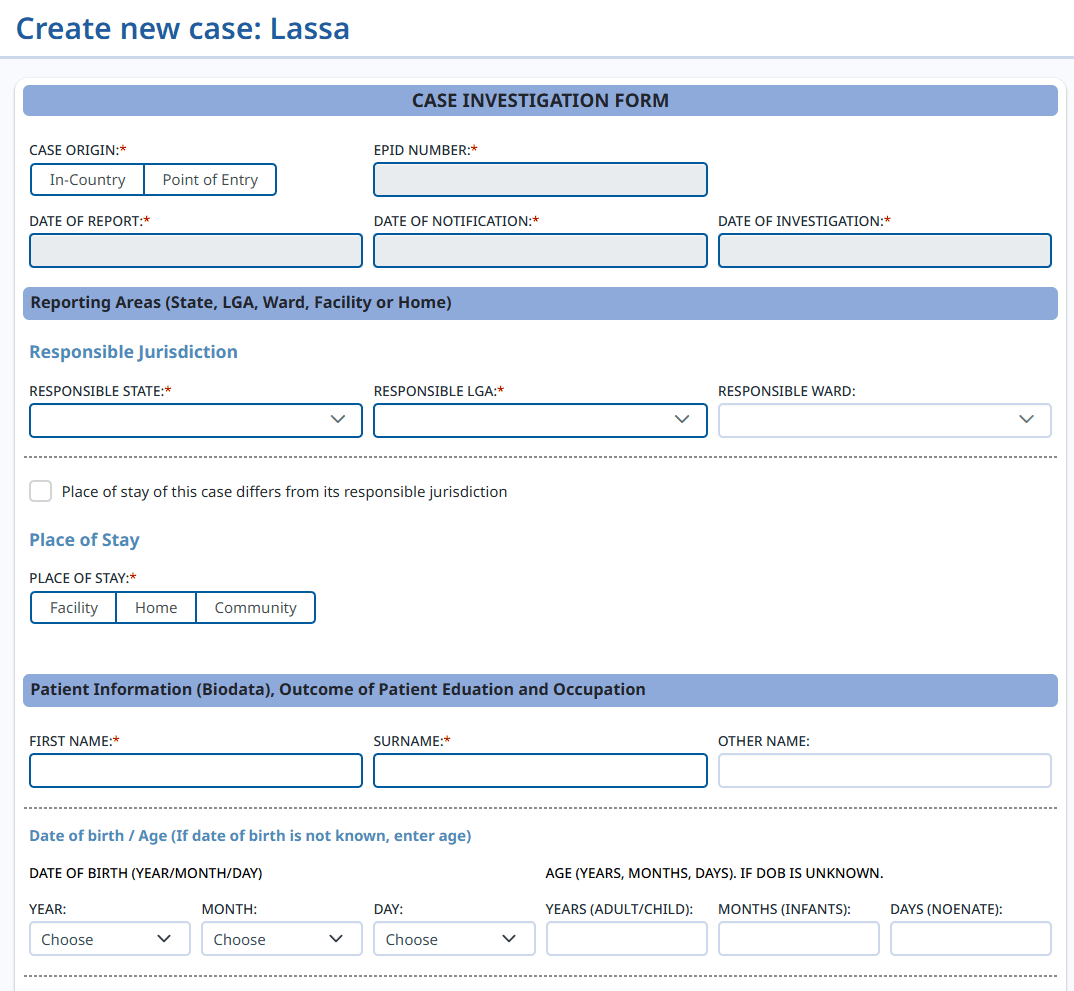
Before, every disease used the same general form. Now the user picks a disease first and gets a form built for it, matching the national paper form.
Downloading data
Before, data was exported from the case list as one large file that often timed out. The new download manager lets users choose the disease, area, dates and exact fields they need.

Disease-specific forms
- Acute flaccid paralysis (AFP)
- Cholera
- COVID-19
- Cerebrospinal meningitis (CSM)
- Dengue fever
- Diphtheria
- Ebola virus disease
- Influenza
- Lassa fever
- Measles
- Mpox
- Neonatal tetanus
- Noma
- Pan-respiratory disease surveillance (PRDS)
- Rubella
- Yellow fever
Forms for chikungunya and other viral haemorrhagic fevers were added during final testing.
Results
In line with the global standard
A modern, stable platform with current security and features, and all historical data preserved.
Better data from the start
Disease-specific forms and automatic checks remove irrelevant fields and stop errors from entering the system.
Laboratory results linked to cases
Automatic linking by EPID number gives decision-makers reliable, laboratory-confirmed information for declaring and managing outbreaks.
Faster analysis
Large datasets now download in under three minutes, and staff spend 40% less time extracting data by hand.
An NCDC team that can run the system
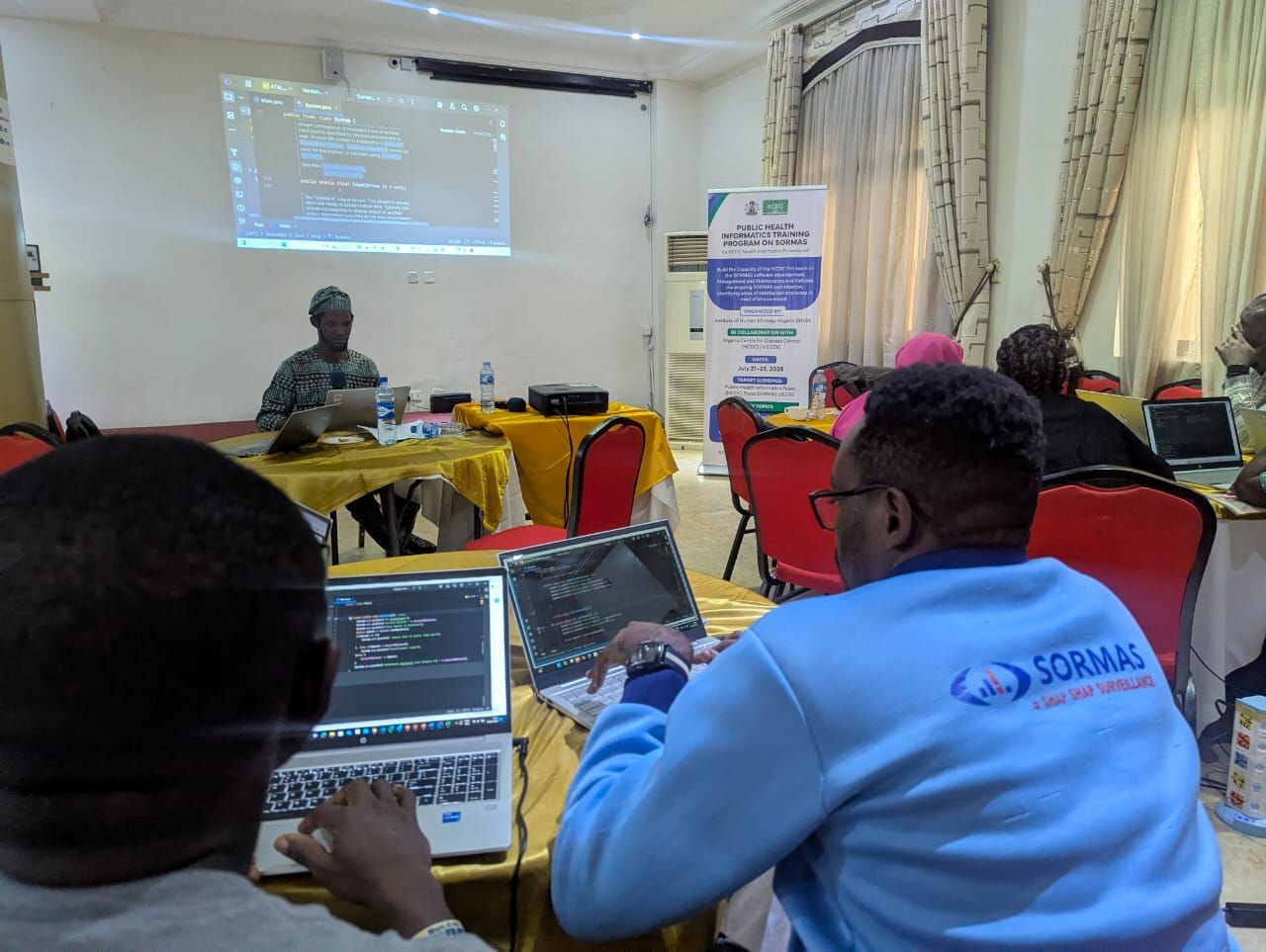
Thirteen Public Health Informatics officers took part in a training programme from May to September 2025. All eight participants in the first workshop completed a Java programming project, and all 15 participants in the second workshop built a working database application. Trained officers now support states with SORMAS questions.
Rules that keep the system current
NCDC formally adopted a governance framework: all code changes are tracked in version control, every change must be requested and approved, changes are tested in separate development and staging copies before going live, documentation is held by NCDC, and performance is reported monthly.
Issues resolved
Every task in the optimisation was completed. Below are the work delivered and highlights of the problems fixed, from issues users had reported for years to those found during structured testing of the new system.
Figures marked + count the examples shown here. They are a selection from the full issue and testing log, which was handed over to NCDC.
Work delivered
- 1Technical reviewMarch 2025Completed
Full assessment of modules, workflows, logs and connections, benchmarked against the global SORMAS release, with a report of weaknesses and recommendations.
- 2Platform upgradeApril 2025Completed
Live and staging servers upgraded to version 1.101.0, database rebuilt, legacy data migrated, the Federal Capital Territory’s separate system merged, and an NCDC team trained with upgrade procedures.
- 3New case investigation formsMay 2025Completed
Disease-specific forms configured, enhanced and documented, with connections to other systems restored.
- 4Data upload, download and qualityJune 2025Completed
Disease-specific downloads, automatic data quality checks, procedures and staff training.
- 5Review and testingJuly 2025Completed
All required functions restored and tested, with every technical issue and its resolution documented.
- 6NCDC staff capacityAugust 2025Completed
Training materials and toolkit, orientation for the Public Health Informatics unit, and staff equipped to troubleshoot and support users.
- 7Support and handoverSeptember 2025 onwardsCompleted
Issue logs, procedures and training documents handed over, routine tasks assigned to NCDC staff, results presented to stakeholders, and the codebase housed in NCDC’s own repository.
Problems fixed, by area
Select an area to see examples of each problem and what is true now.
Case investigation forms12 examples
-
The acute flaccid paralysis form asked for a blood sample, which is not required, and blocked users at the stool sample field.
The form captures a stool sample, as the national form does.
-
Acute flaccid paralysis and other diseases opened the same form.
Each disease opens its own form.
-
Symptom lists had no quick way to mark all symptoms as absent.
A “set all to no” option fills the list in one step.
-
Outcome options were incomplete for several diseases, for example no “Recovered”.
Outcome options are standard across diseases.
-
The diphtheria form showed the wrong vaccination and classification fields.
The form matches the national diphtheria form.
-
The measles form had no “Suspected” option for investigation status.
The option is available.
-
The cholera form had no field for the type of test on a sample.
The sample test type is captured.
-
The Mpox form did not record pregnancy status.
Pregnancy status is captured.
-
Sections 7 to 9 of the Ebola form were missing.
The full form is available.
-
Events, immunisation and quarantine sections were missing from case records.
The sections are available.
-
“Patient’s profession” showed an empty list, and immunisation history for acute flaccid paralysis had no year list.
Both lists are populated.
-
An icon showing how complete each record was had been removed in an earlier upgrade.
Completeness is shown again.
Validation and data quality9 examples
-
Dates could be illogical, for example a report date before the notification date, or a future date.
Dates are checked for logical order and future dates are rejected.
-
Some records could be saved with mandatory fields empty.
Mandatory fields are enforced, with clear messages.
-
Age and date of birth conflicted as mandatory fields, and adults were given a neonatal age.
Either can be entered and age is calculated correctly.
-
Phone number fields accepted letters.
Phone numbers are checked for format and length.
-
Acute flaccid paralysis cases were not checked against the under-15 age definition.
The age rule is applied.
-
A case could be saved as “sample collected” without adding the sample.
The sample must be added.
-
Error messages on a failed submission were unclear.
Messages say exactly which field needs attention.
-
Date formats were inconsistent, making analysis difficult.
Dates use one standard format.
-
Officers could back-date entries, so reporting timeliness could not be measured.
Entry dates are recorded for accurate timeliness.
Laboratory and samples5 examples
-
Forms could not be completed without laboratory results, because lab ID and specimen date were compulsory.
Cases can be saved and lab results added later.
-
Laboratory officers could not enter results because the “New test result” button was disabled.
Laboratory roles can enter results.
-
Sample type and laboratory lists did not load.
The lists load correctly.
-
A laboratory was missing from the referral list.
The laboratory list is complete.
-
Lab results failed to load after a form was completed, and national users could not create sample records.
Results load and national users can add samples.
Duplicates, case numbers and data integrity7 examples
-
Submissions returned “failed to create” but were saved anyway, often several times, and diphtheria cases appeared without a case (EPID) number.
Each submission saves once, with its case number.
-
Duplicate detection was weak.
Duplicate checks run automatically, with an override for genuine separate cases.
-
Several unidentified patients could not be entered because the system rejected repeated names.
Officers can confirm separate cases and proceed.
-
Case (EPID) numbers could not be entered manually or corrected when generated wrongly.
Authorised users can enter and correct case numbers.
-
Cases went missing after entry, case numbers fluctuated, and some cases were archived by mistake.
Records remain stable once saved.
-
Mpox cases submitted in SORMAS did not appear in the line list or dashboard.
Mpox cases appear everywhere they should.
-
An error appeared when saving an Mpox case.
Mpox cases save correctly.
Mobile, network and performance8 examples
-
The optimised system was slow on tablets and phones.
Pages load quickly on mobile devices.
-
Drop-down lists, radio buttons and symptom boxes did not respond on mobile.
Controls work with touch.
-
On tablets, the device navigation bar covered the Save button.
The Save button stays visible.
-
Data could be lost when forms were filled on mobile or tablet.
Form entries are kept.
-
When the network dropped, officers lost their place in the form and re-entered cases without knowing they had synchronised.
Work is kept through network interruptions and sync status is clear.
-
Entering one case could take up to five minutes and needed a constant connection; poor connections logged officers out and used up their data.
Faster entry that copes with weak connections.
-
Aggregate reports were slow and failed to synchronise.
Aggregate reporting synchronises reliably.
-
Poor colour contrast made screens hard to read.
Colours meet readable contrast.
Access, permissions and security4 examples
-
Health facility lists were filtered by the patient’s area, not the reporting officer’s, so officers could not select the facility where a patient was admitted.
Facility lists follow the reporting jurisdiction, with wider access where needed.
-
Unauthorised people could enter unverified cases.
Access is controlled by user role.
-
User roles and delete rights were not clearly defined.
Access rights are categorised and deletion is restricted.
-
There was no audit trail of changes.
Changes are recorded.
Downloads, reporting and alerts5 examples
-
Local surveillance officers could not export data.
Officers can export data for their area.
-
Case and contact downloads produced headings with no data.
Downloads contain the data requested.
-
The new download manager was not yet connected to the rest of the system.
The download manager is fully integrated.
-
Outbreak alerts did not work.
Alerts trigger automatically when thresholds are reached.
-
A single date entered in a form could not be cleared.
Dates can be cleared and re-entered.
What testers said
The form is easy to fill.
The system is fast.
The testing stages for each disease were seamless and straightforward.
It was better than before: all that needs to be entered is in one form.
Automatic EPID number assignment avoids duplicate EPID numbers.
The validation error messages... good job.
Training the NCDC team
The training programme followed a Learn, Do, Sustain model, so that skills were practised on real work and built into routine duties rather than taught once.
Learn
Twelve weekly online sessions (two to three hours each) covering web development, Java programming, databases and application design. Seven were delivered online; the other five were moved into the in-person workshops.
Do
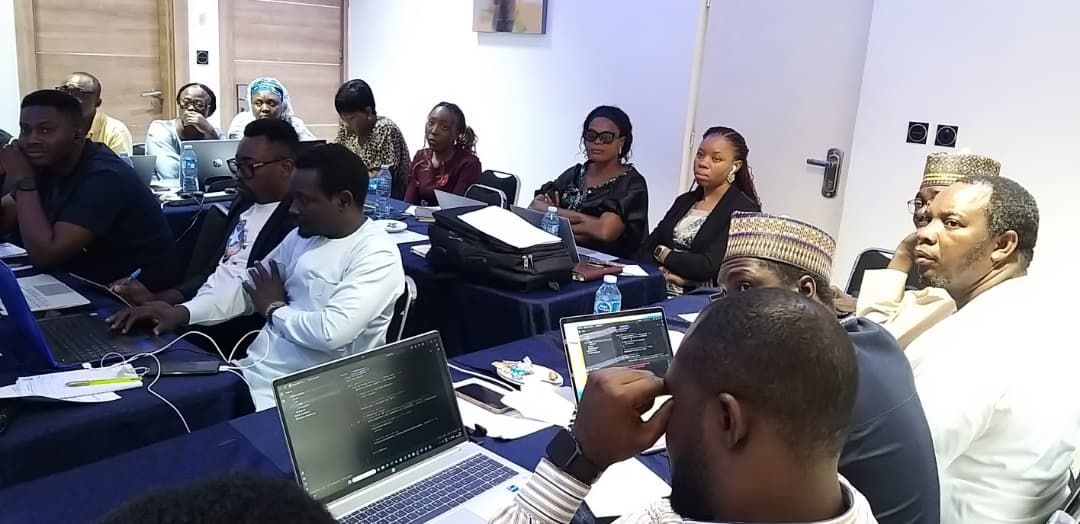
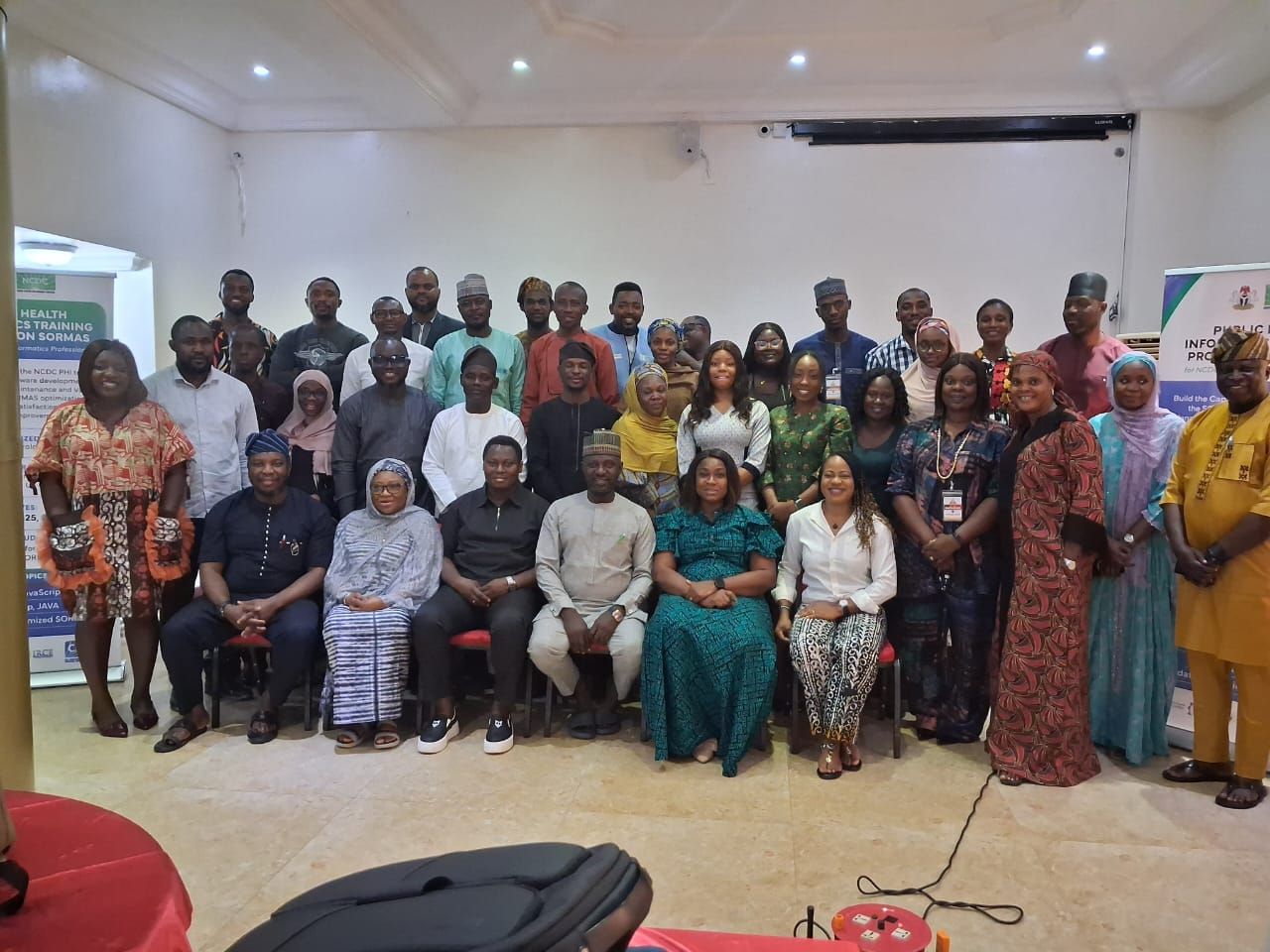
Two five-day workshops in Abuja: 21 to 25 July 2025 (8 participants) and 25 to 29 August 2025 (15 participants). Participants built projects, tested SORMAS and studied its source code.
Sustain
Officers continue with weekly coding tasks, monthly improvement sprints and quarterly team projects, supported by a post-training technical guide, an onboarding toolkit for new staff and mentoring.
The 13 participants were NCDC data analysts, SORMAS IT support staff and the head of the Public Health Informatics unit. All started as beginners in programming, but most had three to ten years of experience using SORMAS.
Lessons learned
- Working closely with national, state and local staff was the most important factor in getting the changes right.
- Rules for managing changes need to be agreed at the start. Unmanaged changes lead to breakdowns.
- Designing around how people actually work matters: many original problems came from forms that did not fit real workflows.
- Continuous training is essential where staff change often.
- In-person workshops produced much stronger learning than online sessions for complex technical skills.
- A separate development copy of the system lets staff practise safely without risk to live data.
- Handover should depend on skills being demonstrated, not on a fixed date.
- Good documentation reduces the need for support and keeps knowledge in the organisation when staff move on.
Products and resources
- SORMAS user toolkit: a data entry guide for SORMAS users (2024)
- Standard operating procedures for upgrading the platform
- Standard operating procedure and technical guide for downloading and uploading disease line lists
- SORMAS testing checklist and guide
- Training manuals, a post-training technical guide and an onboarding toolkit for NCDC technical staff
- SORMAS governance and change management plan
Publications
- Institutionalizing competency and governance for sustainable digital surveillance: a SORMAS case study from Nigeria. Manuscript in preparation. [Confirm it can be listed before publication]